Forecasting in marketing: how to build useful predictions and avoid common mistakes
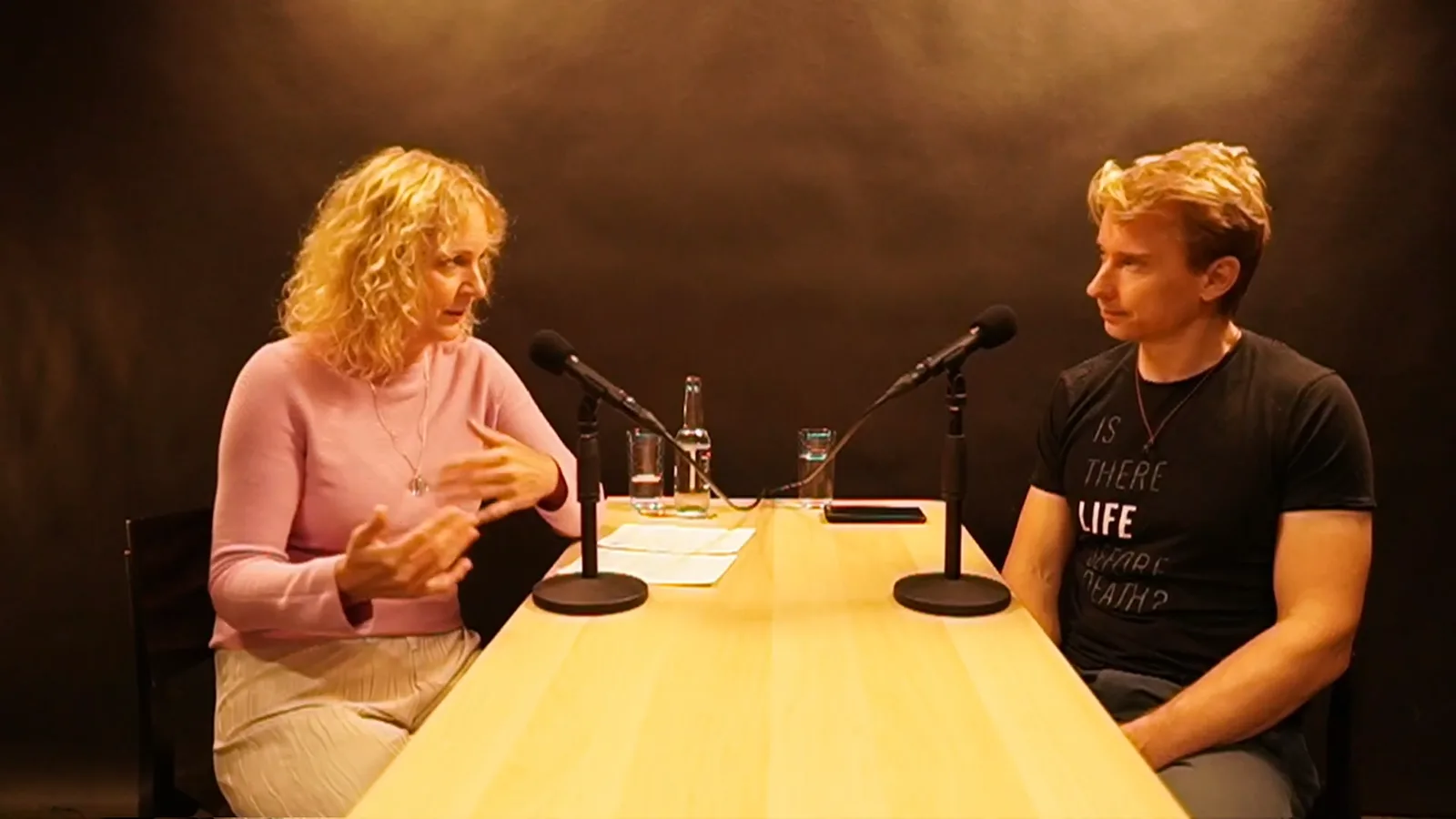
In September 2024, we kicked off Penguin Webinar, our educational webinar series, with a question: what can forecasting actually do for marketers? Lucie Pezlarová, senior data scientist at Notino, joined our own Adam Šilhan to talk through getting started, setting realistic expectations and deciding what to automate. With thanks to Czech Online Expo, here are the main takeaways.
What do you need a forecast for?
Before building a forecast, ask what you will do with it. If you can't name a decision it will help you make, start there.
Two common uses are:
- Planning ahead. A promotion is coming up, or Christmas is around the corner. A useful forecast helps you work out how much stock, delivery capacity and staff you will need.
- Comparing scenarios. Would investing more in customer acquisition pay off, or would you be more profitable with fewer customers and lower costs? Forecasts help you explore those trade-offs, identify limits and plan cash flow before committing to a course of action.
Start small. Excel is fine.
Try forecasting one small part of the business and see whether it helps. You don't need to hire a data science team or learn Prophet on day one. An informed estimate in Excel is a perfectly good start.
Give the exercise some dedicated time. What are you trying to decide, what is likely to affect the result, and how far ahead do you need to plan? Suppose you are considering a promotion next month. More customers might buy, but you would make less margin on each sale. Would the extra volume make it worthwhile?
Choose the frequency of your data and the forecast horizon separately from the seasonal cycle. Daily sales may follow weekly and annual patterns. Several complete seasonal cycles help identify recurring patterns, but two cycles do not guarantee sufficient history. Data requirements depend on the model and how quickly the business changes.
Trend and seasonality matter at both short and long horizons. Even next week's forecast may depend on holidays or the time of year.
Write down your estimates and the assumptions behind them: the discount, the change in margin, the campaign you plan to run. Hindsight is very good at making everything seem obvious. A record of what you actually expected, and why, will help you sharpen your judgment next time.
You can take the next step without leaving Excel. Forecasting add-ins can help you explore trend and seasonality without building everything yourself. Plot the forecast alongside the historical data: has it stayed in the same ballpark, or wandered off into fantasy? That visual check is useful, but it doesn't replace backtesting.
Excel forecasting add-ins mentioned in the webinar include:
TimeGPT
TIM forecasting
Refine the process, learn from the errors and build up some useful results. Those give you a case for more support from leadership, whether that's another team member or funding for a larger project. Remember that a forecast doesn't sell anything on its own. Its value lies in helping you decide where to spend money and people's time.
The world beyond Excel
A traditional starting point is a statistical time-series model. Depending on the model, it can capture trends, seasonality and relationships with earlier observations or other explanatory variables. ARIMA, exponential smoothing and decomposition models are examples of this family of approaches.
Tree-based machine learning methods split observations into groups using their features, then make predictions from those patterns. For forecasting, they need time-related features such as lagged values and calendar information, and they can struggle to extrapolate trends beyond the training data. Examples include LightGBM and XGBoost.
Neural networks also have a place in time-series forecasting. Models vary considerably in complexity and the amount of training data they need. More sophisticated doesn't mean immune to implausible forecasts, though. Examples worth exploring include LSTM, N-BEATS and TimesNet.
Interpretability matters too. Statistical models are often easier to explain, and tree-based methods offer ways to inspect the importance of their inputs. Neural networks can be much harder to unpack. Whichever approach you choose, think about how you will explain its behavior to the people who need to act on the forecast.
Set expectations, then test them
Your first substantial pilot has produced some numbers. How do you know whether they're useful or you simply got lucky?
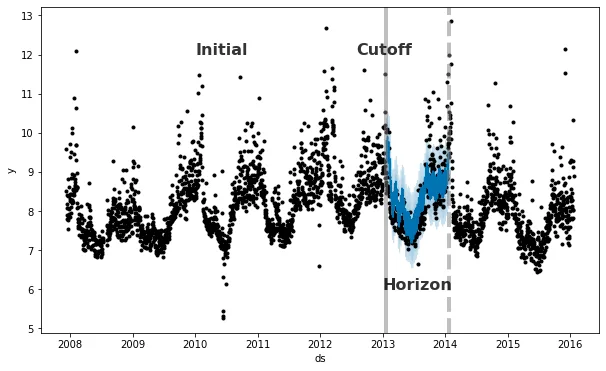
The simplest approach is backtesting: evaluating a model against historical data that was not used to train it. Imagine it is September and you want to forecast August retrospectively. Train on data available through July, then compare the August forecast with actual results. Repeat across several historical cutoff dates.
Only include information available when the forecast would have been made. A promotion planned in July for August is a valid input; a competitor's unexpected August promotion is not.
Mean absolute percentage error (MAPE) measures the average absolute difference between forecasts and actual values as a percentage of the actual values. A MAPE of 10% means an average absolute prediction error of 10%. It does not mean every prediction falls within 10% of the actual value. MAPE is undefined for zero actual values and can be unstable near zero. Forecasting: Principles and Practice explains these limitations.
Compare against a simple baseline, such as the latest observation or the corresponding previous seasonal period. Halving error does not by itself establish statistical reliability. Check performance over multiple periods and whether the improvement matters for the business decision.
Forecasts are inherently uncertain. Set acceptable error levels according to the decision, horizon and cost of mistakes. A prediction interval describes uncertainty around a forecast; it is different from an average error score.
Overestimating can tie up cash in stock, while underestimating can mean lost sales. Reflect these different costs in planning and evaluation rather than interpreting MAPE as a range you can shift.
Simple baselines and reproducible forecasts
Linear regression can provide a useful, interpretable baseline alongside simple seasonal forecasts. More complex models should demonstrate enough improvement to justify their maintenance and complexity.
Reproducibility depends on data, features, settings and, where relevant, random seeds. Statistical models, trees and neural networks can all produce reproducible results under controlled conditions. Investigate changed inputs and settings when a forecast changes sharply.
Choose tools your team can work with
Your choice also depends on your team's technical skills. More complex models commonly run in R or Python, while packaged tools can handle much of the modeling once you connect the data and configure them. Decide whether you need a ready-made tool or a custom model supported by your own team or a specialist partner.
Two options discussed in the webinar were:
- Prophet: originally developed by Facebook and particularly suited to strong seasonal patterns. As of October 2026, its maintainers describe it as being in maintenance mode, with bug fixes and compatibility updates continuing rather than new feature development
- Greykite: LinkedIn's forecasting library, with extensive configuration options. Budget time to get familiar with the library.
Does one model rule them all?
Should you build one model to cover everything, or several smaller ones?
The all-in-one approach can become a black hole for time and money. After months of work, you may find that the model isn't accurate enough or is too difficult to put into production.
Smaller models let you test ideas sooner, learn what works and connect useful pieces as you go.
What should you automate?
There are three parts of forecasting you can automate:
- data collection and transformation,
- reporting,
- running the model.
Start with the data. The best model in the world won't rescue unreliable inputs. Those inputs might come from a warehouse, an ERP, Google Analytics or Google Sheets. Someone emails you a spreadsheet; someone else reads out a number over the phone. Sound familiar? Automating collection and transformation can save hours of chasing and cleaning data, while making it easier to see what you actually have.
Next, automate reporting. A forecast sitting in a spreadsheet or database is only useful if the right people see it. Send results to the people who need them, or give everyone a shared place to find them.
Automating model runs comes last, tempting though it is to start there. Match the schedule to the decision: you may need a weekly forecast rather than an hourly one. Early manual runs give you a chance to inspect results and discuss what they mean with the business. Automate once the process is stable, and keep monitoring data quality, forecast errors and changing business conditions.
Our suggested starting path:
Informed estimates in Excel → simple baselines, such as linear regression → time-series or tree-based models where they help → continued testing and refinement.
Looking for a useful first forecasting project? Adam shared a few examples on LinkedIn (in Czech).

Thanks to Lucie Pezlarová for sharing her experience so openly. For another perspective on evaluating marketing performance, read Triangulation in marketing.
This article was translated from the Czech original on the igloonet blog.